At Avon, each of our 2-week sales periods is called a “campaign”. There is a brand new “brochure” (catalog) available for each campaign, with new products and special offers.
You can order beautiful glossy brochures to pass out to people and/or share your (free) digital brochure link for people to browse & shop. The Campaign Calendar will show you the date range that orders from that campaign can be placed.
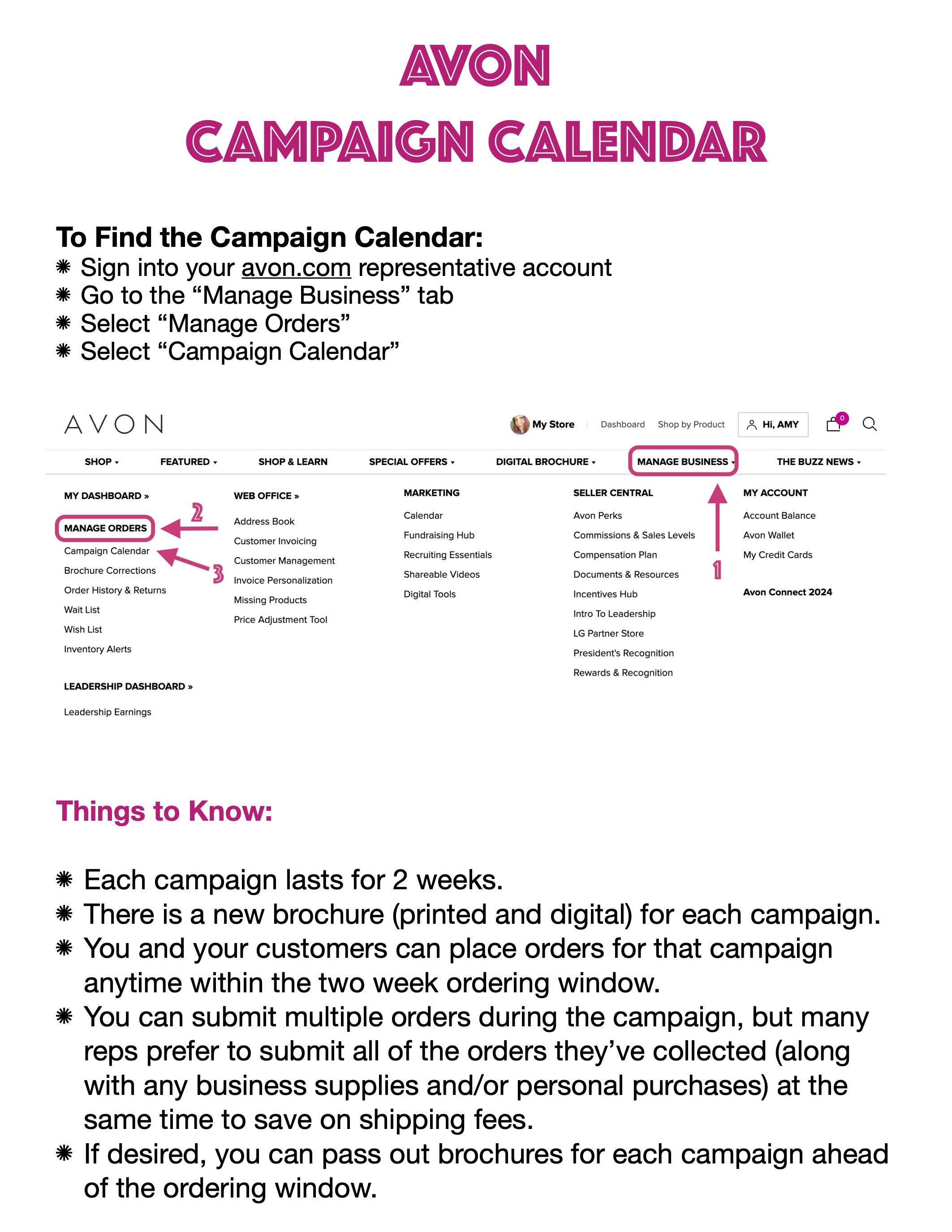
⭐ To find the Campaign Calendar, first make sure you’re signed into your avon.com representative account. Go to the “Manage Business” tab, then select “Manage Orders”. You’ll find the Campaign Calendar there.
Take the Next Step:
STEP 4: Help Customers Find You
STEP 5: Get to Know the Products
STEP 6: Identify Your Customers

 Look, Feel, Live Beautiful